evento
- 0.0
- Rating
- 10.00K
- Installs
- Free
- Price

 Analysis by App-foxy
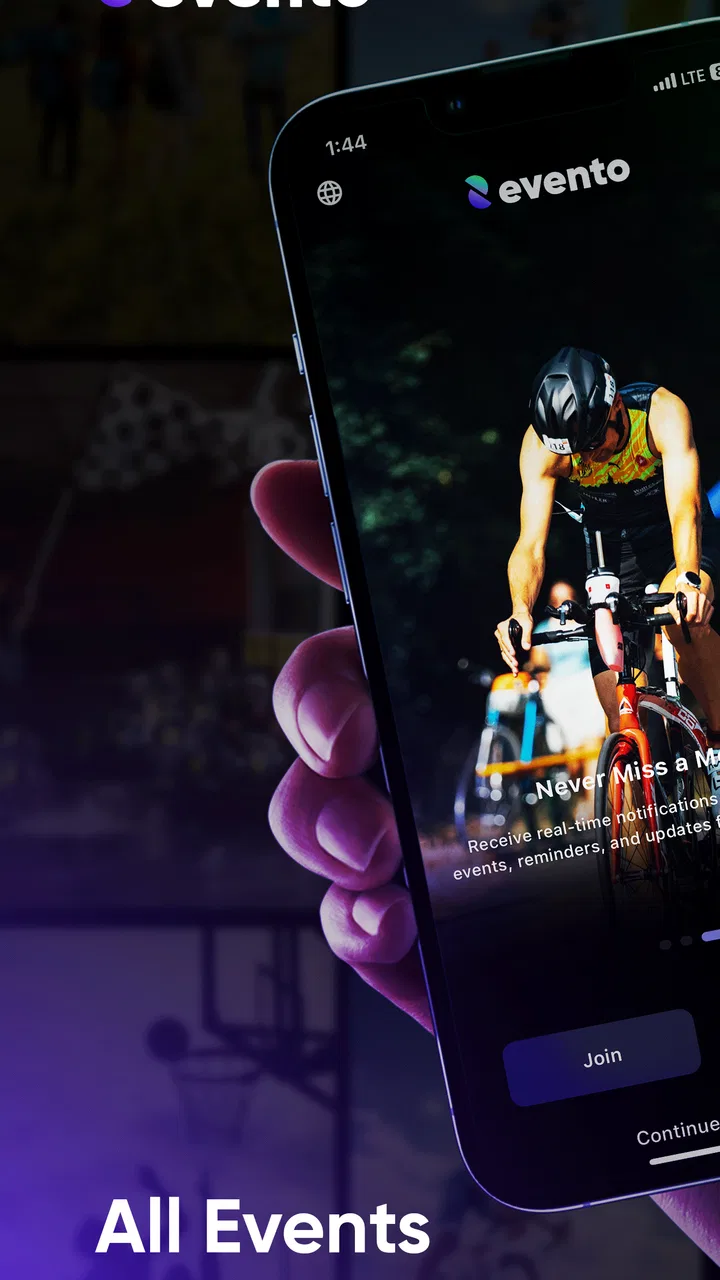
Planning an event often begins with good intentions and ends with scattered messages, forgotten details, and a last-minute search through old notes. I tested evento as an Events app from MIS HOLDING GROUP, and my first impression was that it aims to make event organization feel less fragmented. It is free, suitable for everyone, and designed for Android devices running version 6.0 or later. The idea is simple: keep the act of booking and managing events in one place instead of treating every gathering as a separate collection of chats and reminders.
That simplicity is both its attraction and its main question mark. An app can be useful during the first few days because a new planning space feels tidy, but the real test is whether I would still open it when the next event arrives weeks later. In my experience, Evento is most appealing when I want a focused place for event-related tasks without committing to a large productivity system. Its value depends less on novelty and more on whether it becomes part of my normal planning routine.
From quick setup to a repeatable planning habit
During the first week, the strongest part of the experience is the narrow purpose. Evento is not trying to be a general notes app, a full calendar replacement, or a broad social network. Its store summary presents it as a way to book and manage events easily, and that gives the app a clear role from the start. I can approach it with a specific question: can this help me keep an event under control from the initial booking through the practical follow-up?
You May Also Like

 Blood Strike: 2.5 Anniversary
Blood Strike’s Loadouts Turn Every Drop Into a Tactical Gamble
A close look at Blood Strike’s custom loadouts: how fast access to signature weapons reshapes its battle royale rhythm, rewards preparation, and narrows the gap between fights.

 Pandora - Music & Podcasts
Pandora’s Music Is Easy to Start, but Harder to Recover
Pandora’s strength is its low-effort path from a seed to a station. Its weak spot is how much confidence it asks you to place in connection, setup, and quiet recovery.

 8 Ball Pool
 Is Built on Rivalries, Rematches, and Routine
A close look at the rivalries, rematches, shared routines, and unanswered safety questions that turn a quick pool match into a persistent mobile community.

 Samsung Music
’s Quiet Strength Is Playing What You Already Own
Its reach comes less from spectacle than from dependable access to a personal library. That simplicity is both the app’s strongest retention engine and its ceiling.

 AccuWeather: Weather Radar
AccuWeather Review: A Quick, Clear Forecast for Everyday Decisions
For everyday plans, the best forecast is the one you can understand quickly. AccuWeather makes rain timing, radar, and local conditions easy to act on, with a few trade-offs.

 Hill Climb Racing
Why Hill Climb Racing Still Turns Crashes Into One More Run
A tiny car, a bumpy hill and one more upgrade: Hill Climb Racing keeps resurfacing because its simple chaos makes every near-miss feel personal.
More From Our News Desk



That focus is useful for small personal plans. A dinner, local activity, appointment-style gathering, community meeting, or casual celebration can easily become difficult to track when the information is spread between a messaging app, a calendar, and paper notes. Evento makes more sense when I want the event itself to be the center of attention rather than one item buried among unrelated tasks.
The first-week appeal also comes from the low financial barrier. Because the app is free, trying it does not require a subscription decision before I understand whether it fits my habits. That matters for occasional event planners who may only need an organizer from time to time. The Everyone content rating also makes it approachable for households and mixed-age groups, although the usefulness of any event tool still depends on the kind of gathering being arranged.
I would not describe the app as an automatic replacement for every tool I already use. A phone calendar remains better for appointments that need to sit alongside work, school, travel, and personal commitments. A messaging app remains faster for quick group conversation. A spreadsheet may be preferable when an event involves detailed budgets, inventories, or complex assignments. Evento’s first-week advantage is more specific: it can offer a dedicated place to think about the event as a complete item rather than as a few disconnected reminders.
A practical way to evaluate it is to start with one event that is important enough to need organization but not so complicated that a missing advanced function would cause trouble. I would choose a small gathering rather than a large conference or elaborate trip. That test reveals whether the booking flow feels natural, whether event details are easy to revisit, and whether managing the plan feels calmer than using several separate tools.
What makes the early experience useful
One non-obvious strength is the possibility of using the app as a decision checkpoint, not merely as a place to record a final plan. When I am arranging an event, I often make choices in the wrong order: I think about the date before confirming the type of gathering, or I invite people before checking whether the plan is realistic. A dedicated event workflow encourages me to slow down and treat booking and management as connected steps.
Another useful habit is to open the event again after the initial booking rather than assuming the work is finished. The first entry is usually the easiest part. The real value appears when I return to verify the plan, adjust details, and make sure the event still reflects what I intend to do. This is where a specialized organizer can earn its place, provided returning to the event is quick and clear.
I also found that Evento is better suited to people who prefer one purposeful app over a large dashboard filled with unrelated functions. Some planning platforms offer extensive collaboration, task assignment, file storage, and communication features. Those systems can be powerful, but they often take time to configure. Evento’s appeal is the opposite trade-off: less apparent complexity can make it easier to begin, especially when the event is modest and the organizer does not want to build a complete project-management workspace.
Where the first-week shine can fade
The danger with a focused event app is that its usefulness may be tied to how often I actually organize events. If I plan something only once every few months, I may forget the workflow between occasions. That does not make the app poor, but it means the first-week experience has to be clear enough that I can return without relearning everything.
There is also a limit to what a dedicated organizer can replace. If my main problem is remembering when something happens, a standard calendar may be more efficient. If my main problem is coordinating a large group, a communication platform may be more important. If my main problem is managing costs and responsibilities, a spreadsheet or project tool could offer more control. Evento is most convincing when the problem is specifically the organization of event bookings and related management, not every planning problem at once.
That distinction is important before downloading it. I would recommend trying it for a recurring personal need, such as organizing family occasions or regular community activities. I would be more cautious for users who expect a complete event-production suite with advanced collaboration, detailed reporting, or extensive integrations. The app’s clear purpose is a benefit, but it also sets a boundary around what I expect it to handle.
Does it earn a place after the novelty wears off?
I look at lasting value through the small moments that decide whether an organizer becomes a habit: can I return to a plan after a busy week, spot what still needs attention, and avoid copying the same details into several places? For me, Evento makes most sense when it serves as a dependable event reference rather than another inbox. That leads to the practical question of how clearly it supports people planning in different ways and circumstances.
Month-to-month value comes from repetition
The long-term question is not whether Evento can help me create one event. Most planning tools can feel helpful once. The stronger question is whether it reduces effort each time I arrange something similar. For recurring events, the answer can be positive if I develop a consistent routine: create or book the event, review the important details, return before the date, and use the app as the reference point instead of rebuilding the plan in messages.
This is where I see the clearest lasting use case. Someone who organizes occasional gatherings for a club, family, school group, or local activity may benefit from having a familiar event-focused workflow. The app can become a mental shortcut: when a new plan appears, I know where to put it. That kind of recurring value is more meaningful than a visually fresh interface because it saves attention at the moment planning begins.
A helpful monthly routine would be to review upcoming events in one short session rather than waiting for problems to appear. I would check whether the booking is still correct, whether the event details remain current, and whether anything needs attention before the day arrives. This approach turns Evento from a passive record into a maintenance tool. It also exposes a trade-off: the app can only help with information that I actually keep updated.
For occasional users, the free price makes keeping it installed relatively easy, but installation alone does not create value. I would keep it on my phone only if it became the place I naturally return to for event planning. If I continued to create an event in Evento and then immediately copied everything into another tool, the extra step would cancel out much of the benefit.
The app’s current version is 1.2.6, and that places some emphasis on personal expectations. I would judge it by whether the present workflow is dependable for my needs rather than assuming that future updates will add missing capabilities. A sensible long-term decision is to use what is available now for a real recurring scenario and see whether it reduces friction over several planning cycles.
An everyday scenario where it can pay off
Imagine I help arrange a monthly neighborhood activity. The first plan may be easy, but the repeated cycle creates small opportunities for mistakes: I might remember the event date but forget to revisit the booking, overlook a change in the plan, or rely on a conversation that becomes difficult to search later. Using Evento as the central event record gives me a defined place to begin and return to.
My workflow would be deliberately simple. I would create the event when the idea becomes definite, review its details soon afterward, and open it again before communicating the final plan. On the day before the activity, I would use the app as a checklist for the event information I chose to keep there. The important insight is that the app is not valuable because it eliminates planning; it is valuable if it prevents the same planning from being repeated across several places.
This scenario also shows when it may not be enough. If the group needs lively discussion, document sharing, payment tracking, or individual task ownership, I would pair Evento with another service or choose a broader platform. I would not force every part of the project into a tool designed around event booking and management. The best setup may be a focused combination rather than a single app doing everything.
The maintenance burden is small, but real
Every organizer creates maintenance work. Evento may reduce the number of places I need to check, but it does not remove the responsibility to keep event information accurate. If I change a plan in a chat and forget to update the event record, the app becomes less trustworthy. That is a general planning risk, but it matters especially when the app is intended to act as the central reference point.
I would keep maintenance manageable by making one rule: update the event at the moment a meaningful change is confirmed, not later when I think I will remember. I would also avoid entering details that I do not intend to maintain. A smaller, accurate event record is more useful than a crowded one containing outdated notes. This is one of the most practical trade-offs in using a dedicated planner: structure helps only when the structure reflects reality.
There can also be a mental burden in having another app to remember. If my existing calendar already handles dates well and my messages already contain the necessary coordination, Evento might feel like an additional stop. I would ask myself whether it replaces a messy process or simply adds another layer. The answer will vary by user, but it is the key test for lasting value.
Sources of fatigue over time
The first source of fatigue is duplication. If I book or manage an event in Evento but still need to enter the same details elsewhere, the workflow can become repetitive. Duplication may be acceptable for an important event, but it is hard to sustain for every small plan. I would therefore reserve the app for events where a dedicated record genuinely improves clarity.
The second source is irregular use. A tool that I open daily can become automatic; one that I open only for occasional events needs an interface that is easy to understand each time. If I have to remember a complicated sequence after a long break, the convenience disappears. This is why I would test the app with two different events before deciding whether it deserves permanent space on my phone.
The third is mismatch between event size and tool scope. Evento may be a comfortable fit for straightforward planning, but a complex production involving many teams, deadlines, files, and financial controls calls for more specialized equipment. Choosing the lighter tool for a heavy project can create frustration. In that situation, I would prefer a full project-management system and perhaps use Evento only if its event-specific booking function still adds something distinct.
Some users should skip it altogether. If you only need alarms and dates, your phone’s calendar may be faster. If you mainly need group conversation, use the platform where your participants already respond. If you manage professional events with complicated logistics, look for a system built around collaboration and operational detail. Evento is not a universal answer, and treating it as one would lead to disappointment.
Who is most likely to keep using it?
I think the best match is someone who organizes events often enough to benefit from a repeatable process but not so professionally that they need a large event-management suite. Families, informal groups, community organizers, and people who regularly arrange small gatherings are the most convincing audience. For them, the app’s focused purpose and free access can make experimentation worthwhile.
It is also a reasonable option for someone who feels overwhelmed by broad productivity apps. A large system can offer more capabilities while making simple planning feel like administrative work. Evento’s narrower identity may be easier to explain to another person: this is where the event is booked and managed. That clarity can encourage better habits, even if it does not replace every other planning tool.
The developer, MIS HOLDING GROUP, presents the app as an event-planning product rather than a general-purpose organizer. I appreciate that defined direction because it makes the decision easier. I would not install it expecting a complete digital command center. I would install it to see whether a dedicated event space solves a specific problem in my routine.
My long-term verdict
After the novelty fades, Evento earns lasting space only when I have recurring events or a repeated need to keep bookings and event details together. Its strongest quality is focus: it gives event planning a distinct home and may reduce the confusion caused by scattering information across messages, notes, and calendars. The fact that it is free and rated for everyone lowers the barrier to trying that approach.
My honest recommendation is to treat it as a focused organizer, not a replacement for the entire planning ecosystem. Start with one realistic event, return to it during the preparation period, and notice whether the app saves time or merely creates another copy of the same information. If it becomes the place I instinctively check and update, it has earned its position. If I keep relying on a calendar, chat, or spreadsheet for the actual work, uninstalling it would be the more sensible choice.
For me, the lasting value is tied to habit rather than excitement. Evento is worth considering when event management is a recurring part of life and a dedicated workflow feels cleaner than improvised planning. It is less compelling for one-off reminders or complex professional productions. Used within its natural limits, evento can be a practical companion for keeping small and recurring events organized without adding a financial commitment.
FAQs for evento
01What is Evento, and what can I use it for?
Evento is designed to help users discover, organize, and keep track of events in one convenient place. Depending on the available listings in your area, you may find concerts, festivals, conferences, workshops, sports activities, nightlife, and community gatherings. The app is most useful for browsing upcoming activities, checking event details, saving interesting options, and planning which events you would like to attend.
02How do I find events that match my interests or location?
After opening Evento, you can generally browse the main event feed or use search and filtering tools to narrow results. Location, date, category, and keyword filters can make it easier to find relevant activities nearby. Before relying on a listing, review the venue, schedule, ticket information, age restrictions, and organizer details, since event availability and information may change after it is published.
03Can I buy tickets or register for events directly through Evento?
Evento may provide ticket links, registration options, or instructions for completing a booking, but the exact process depends on the individual event and organizer. Some activities may be free, while others redirect you to an external ticketing service. Always check the final price, booking fees, refund policy, entry requirements, and confirmation details before completing a purchase or registration.
04Does Evento require an account, and what permissions might it request?
Some features may be available without signing in, while saving events, receiving reminders, managing bookings, or creating personalized recommendations can require an account. The app may also request permissions such as location access or notifications. You can review and change these permissions in your Android or iOS settings, and it is sensible to allow only the access needed for the features you plan to use.
05Is Evento free to download and use?
The app may be free to download, although certain events can involve ticket charges, registration fees, service costs, or purchases handled by third-party providers. Check the app store listing for information about subscriptions or in-app purchases, and review the event’s payment page carefully before confirming anything. Prices, availability, cancellation terms, and additional fees are controlled by the relevant organizer or ticketing platform.
Pros
- Simple event discovery with useful date and location details.
- Helpful reminders make it easier to keep track of upcoming events.
- Clean interface makes browsing and checking event information quick.
- Supports planning by keeping event details available in one place.
- Useful for finding activities that match your interests and schedule.
Cons
- Event availability may vary greatly depending on your location.
- Some listings may lack complete descriptions or updated information.
- Notifications could become excessive if too many alerts are enabled.
- The app may offer limited value in areas with few listed events.
- Certain features or event details may require an account or sign-in.

evento
Gallery